AI Pose 2026 Review: Features, Pros, Cons and Much More..
AI Pose 2026 Review: Features, Pros, Cons and Much More..
AI Pose Tools:
Great image generator usable for every type of content. Excellent quality with 7 output formats and premium enhancement options. You can use it uploading your pics as reference or making them from scratch.
Excellent video generator usable in different ways. Output quality HD Or Full Hd, Max lenght 10 second for video generation with prompt input or 8 second if you use an existing video effect. The site claims to let you create videos from scratch using text input, but the dedicated page doesn't load, so for the moment, you can only create them using an external photo as a reference.
With this AI image editor you can practically do anything. Choose the photo effect you want from the drop-down menu in the hompegae header, or click the "Image to Image" section and describe your changes in the prompt line. Keep the homepage opened since the internal menu misses some links.
Face swap for pics and videos. Pics and GIFs size up to 50 Mb and video lenght up to 15 minutes or 500 Mb. Batch face swap is not possible, just one face at a time.
The girl generator works well and is easy to use. It's a shame there's no section where you can chat with your own creations.


AI Pose Pros & Cons
✓ Pros
- • Multy-Tool site
- • User Privacy
- • Image quality up to 4K
- • Video quality up to 1080px
- • Good details generation (feet, hands, lips, etc..)
- • No recurring subscription required. Buy credits whenever you want.
- • Many pre-set effects for pics and videos
✗ Cons
- • Poor internal navigability
- • Face swap not usable with free plan
- • High video generation cost
- • Prompt input knowledge
- • No chat
First impressions and hype after an afternoon on AIPose
Okay, let me be honest right away: I entered AIPose.ai expecting yet another everyday toy, but wow, it really captivated me for an entire afternoon.
The site is packed with tools and generates content of such high quality that it’s embarrassing for most established platforms.
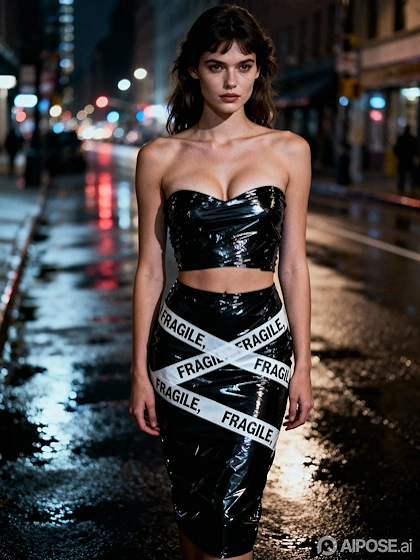
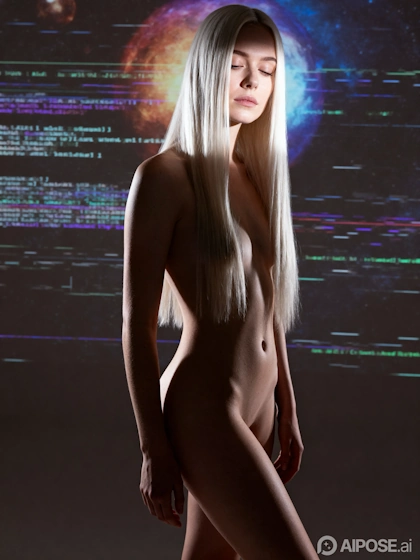
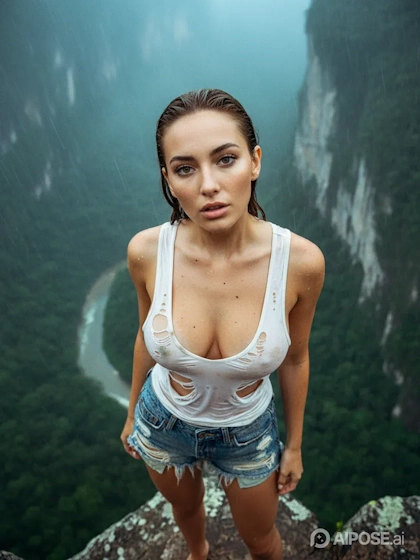
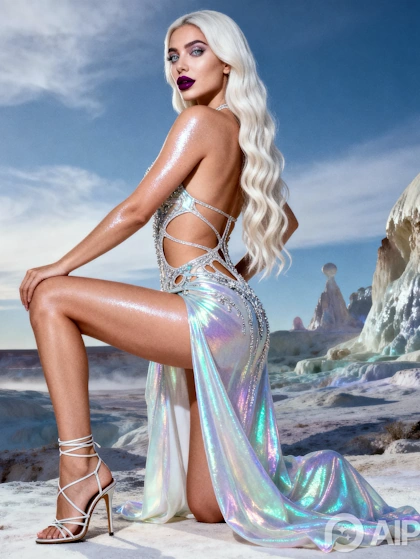
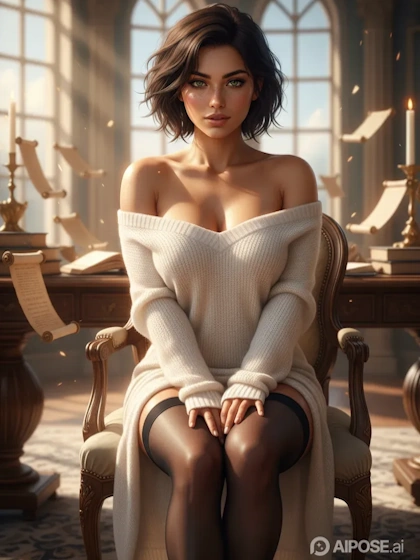
The name itself makes it clear that the site was designed for image editing rather than other functions, and on the homepage, you’re immediately greeted by a series of output examples that showcase this tool: photos transformed in surprising ways, transformed into cartoons, realistic close-ups, and even some cheeky outfit changes that hint at the potential NSFW.
The homepage, in fact, suggests that this is a completely SFW site, but as soon as you enter the generators section, you realize we were wrong.
On AI Pose, you have an image generator and editor that work as expected, both in the basic and fully custom versions.
AIPose is perfect whether you like quick, creative edits that use popular pre-existing styles without wasting time, or if you want to describe your edits yourself. The video and image generator also delivers exceptional results.
What AIPose Really Offers: Overview of the Site’s Main Features
AIPose.ai positions itself as a full-service AI creative studio, and honestly, it delivers on that promise with a robust suite of tools designed for both casual fun and more professional editing. Here’s an overview of the main tools on the site:
- Image Generator: The image generator can be used in two ways: image-to-image or text-to-image. With the first method, you upload an external photo and specify the edits you want to make in the prompt. With the second, you jump directly to the prompt line without using an external photo as a reference. To use images created on the site, download them locally and then upload them during generation.
- Video Generator: This works similarly to the image generator, meaning you can choose to animate an external image or create one from scratch by typing the command in the prompt line. Videos can be 5 or 10 seconds long. If you choose to apply a pre-existing video effect to an external image, the duration can be 5 or 8 seconds.
- Image Editor: Editing external images can be done in two ways: using the image-to-image menu described above, or using the site’s existing styles and editing tools.
The first method provides greater editing freedom; the second guarantees optimal results. Some of the site’s existing editing styles are also supported by a prompt line, ensuring seamless customization and editing.
Among the more than 300 styles available, the ones we found most interesting are the photo-to-cartoon option, which allows you to transform an image into a caricature, anime, or cartoon style, choosing your favorite cartoon or anime template (One Piece, Naruto, Attack on Titan, Rick and Morty, The Simpsons, Studio Ghibli, etc.); the clothes remover, which allows you to undress or change the clothes of characters in your photos; and the baby creator, which creates the possible features of a child using the parents’ photo as input.
There are also typical editing and cleanup tools such as watermark removal, image expander, background remover, etc.
It’s not a full-blown Photoshop killer, more like a playful sidekick that gets the job done with a wink. - Face swap: AiPose also features a face swap tool that works with both images and photos. You can use it for videos up to 500 MB or 15 minutes in length, and for photos/Gifs up to 50 MB. Batch face swapping is not supported.
- AI Girl Generator: Create your own custom girls and use them with all the site’s tools. Chatting is not possible.
These tools and the quality of their creations make AIPose very versatile and suitable for all types of users, from occasional users to professionals seeking cutting-edge tools.
How Content Generation Works on AIPose and How to Navigate the Site
Navigating AIPose isn’t easy, and this is probably the platform’s biggest limitation.
The problem is that the services, tools, and editing styles presented on the homepage aren’t all grouped together in the subsequent menu that opens as you continue browsing.
The main home menu divides the items into AI Video, AI Image, AI Style, and AI Tools, so you can jump directly to what you want without having to scroll endlessly. However, once you’re in the generator itself, many items and functions are lost.
Our advice is to keep the homepage open and work across multiple tabs so the full menu is always visible.
There aren’t any big surprises when using the generator, but you do need some familiarity with prompt input.
In my site testing, I started with the text-to-image generator: enter a description like “mysterious elf in a snowy forest,” choose the options and styles, then press Generate and… boom, you’re done.
The process is the same using an external photo as a reference: upload the photo and proceed as before.
The image-to-video conversion works great (and is addictive): take that photo of the elf, describe the animation as “walking in the snow” in the prompt area, and voilà: your short clip has been created (5-10 seconds).
As for the site, everything is responsive even on mobile devices, although the desktop offers a better preview space.
The customization shines through in the style transfers: choose from over 300 filters (from Van Gogh to manga), adjust the intensity, and watch the AI preserve the original details while transforming them into art.
The real fun with AIPose.ai comes when the tools overlap, like undressing a character and animating the result. Just remember that NSFW outputs are private by default, which is a plus.
Real-World Pricing and Cost: Is AIPose Worth the Money?
Now let’s talk money, because nothing dampens enthusiasm faster than a surprise bill.
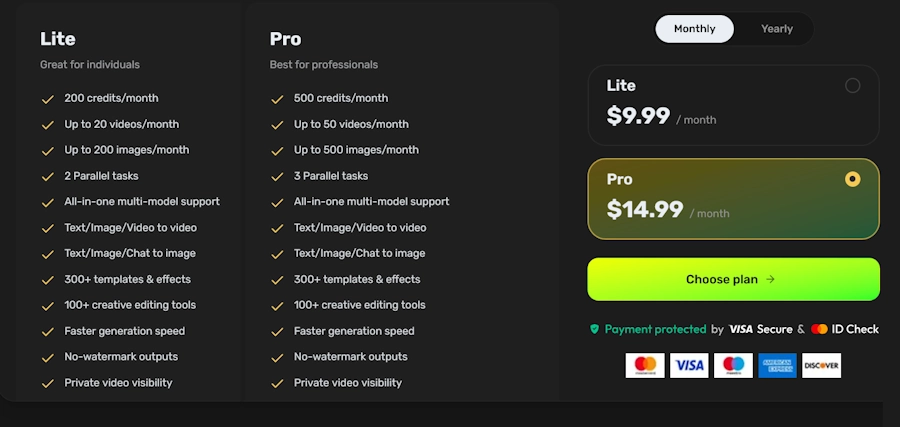
AIPose offers two subscription plans, Lite and Pro, that are renewable monthly or annually and differ only in the number of credits assigned each month.
Once these are exhausted, you can purchase one-time credits, but only if you have an active subscription plan.
When you register on the site, you’re assigned some free credits, which you can use to test image generation and/or editing. You then have to complete certain tasks to get more free credits, such as sharing on social media or similar.
In addition, you’re assigned one credit for each daily login.
Use of the tools is credit-based, like most competitors; here’s the breakdown of the plans taken directly from the site:
Per-tool costs (in credits):
- Image generation or editing: 4 credits/image.
- Video animation: from 24 to 160 credits/video. The number depends on video quality and length.
- Style transfer/filter: 4 credits.
- Undress/outfit change: 4 credits.
- Hairstyle/gender swap: 4 credits.
- Upscaling to 4K: +1 credit extra.
- Image editing: 4 credits/image
- Image face swap: 4 credits. Usable only with an active premium plan.
- Video face swap: from 24 credits, depending on video length. Usable only with an active premium plan.
Is it worth it? Definitely, whether you’re a casual user or a pro. The credits awarded aren’t that many, but the value for money is very good, especially compared to platforms like Seduced, which start at $30/month.
Our Verdict: Evaluations and Final Thoughts
In conclusion, AIPose.ai is a solid and reliable site.
It doesn’t have a perfect interface, but for a full-fledged AI app that combines fun and functionality, it’s truly excellent, and the results over generations are stable and of excellent quality.
The excitement is justified if you enjoy quick transformations, with over 300 styles ensuring an endless, quick-editing experience.
Don’t expect miracles with the free plan, but the few images you generate or edit will be well-crafted, with consistent detail even in limbs and facial expressions.
Ultimately, after spending an afternoon immersed in a whirlwind of elf animations and hairstyle changes, I’d say it’s worth a try. It’s probably more engaging than scrolling through TikTok, and who knows, you might even create something shareable (or not, depending on the filters).
AI Pose FAQs
AI Pose Best Alternatives
This is are the best AIPose.ai alternatives out there

Promptchan AI
Promptchan is currently now one of the most famous and popular AI sites around.. Duration ...read full review
Seduced AI
Seduced is the EU competitor to the big dogs in the AI NSFW industry like Promptchan and.. ...read full review
Users' Opinion
No reviews yet. Be the first to share your opinion!
No reviews yet. Be the first to share your experience!
Rate & Comment
Thank you!
Your review has been submitted and is awaiting moderation.